Drop a Class
- Go to one.SJSU.edu
- Select the MySJSU tile and sign in with your SJSU ID and Password. See the Password Help page if you have difficulty logging in.
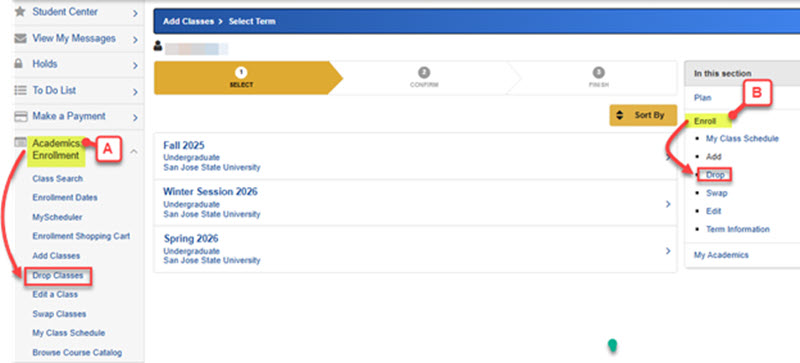
- At your Student Center, you can choose one of the ways to drop a class:
-
-
- Click Academic: Enrollment drop down menu on the left column, then select Drop Classes
- Click Enroll drop down menu on the right column, then select Drop
-
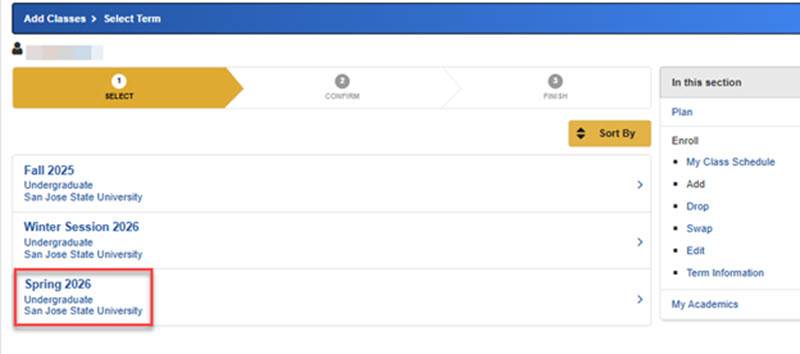
4. Make sure you select the correct term.
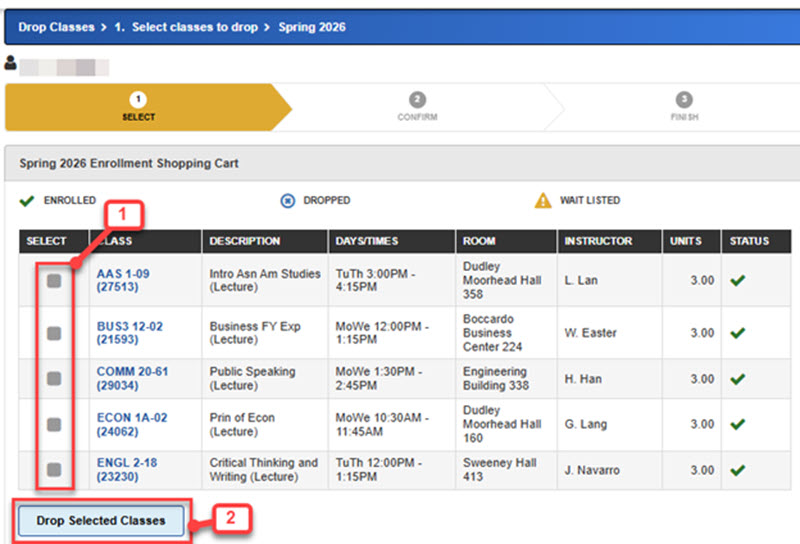
5. Select the checkbox in front of each class you want to drop (including enrolled or waitlisted classes), then click Drop Selected Classes.
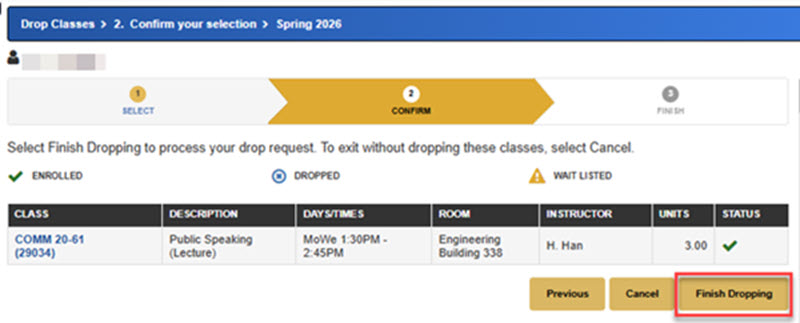
6. Review your selection and click Finish Dropping.
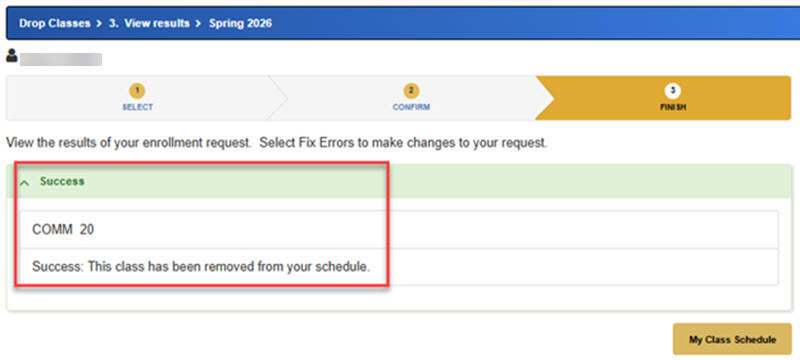
7. View the results of your enrollment request. Select Fix Errors to make changes to your request if needed. You will see a Success message, if your class has been removed.